
# Sales
The Sales section of the dashboard tab provides detailed insights into booking activities, customer preferences, and overall property sales performance.
Below is a breakdown of its components:
# Key Sections
# 1. New Bookings
# 2. Best Selling
# 3. Most Viewed
# 4. Top Searches
# Configuration Options
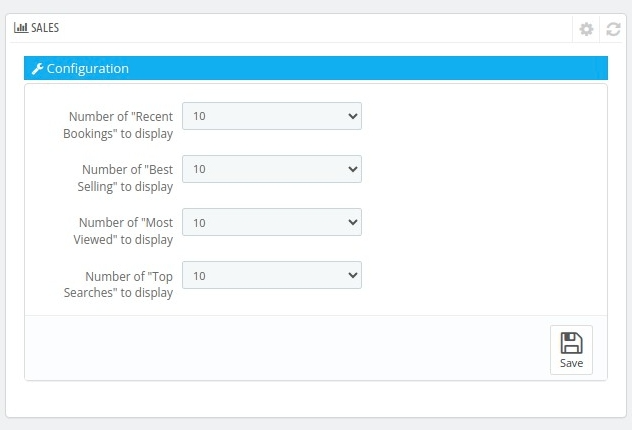
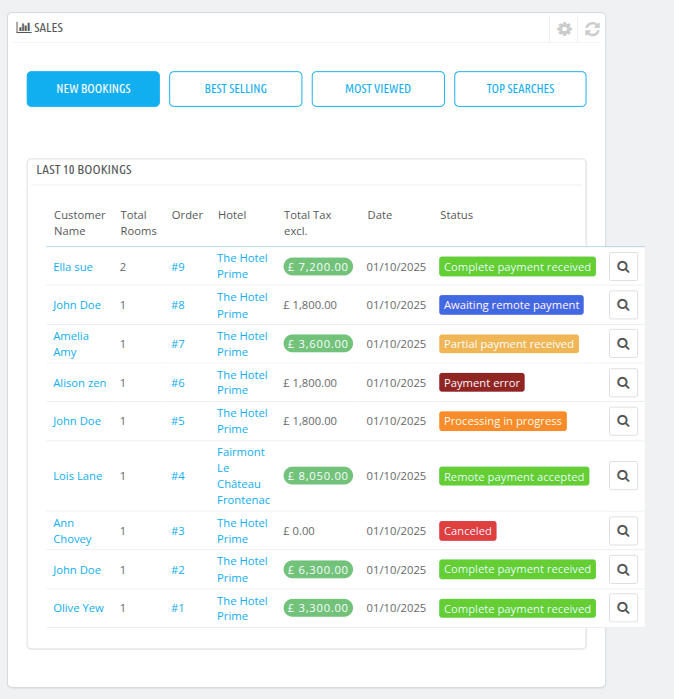
- Number of "Recent Bookings" to Display: Set the number of latest bookings to show in the dashboard (e.g., 10).
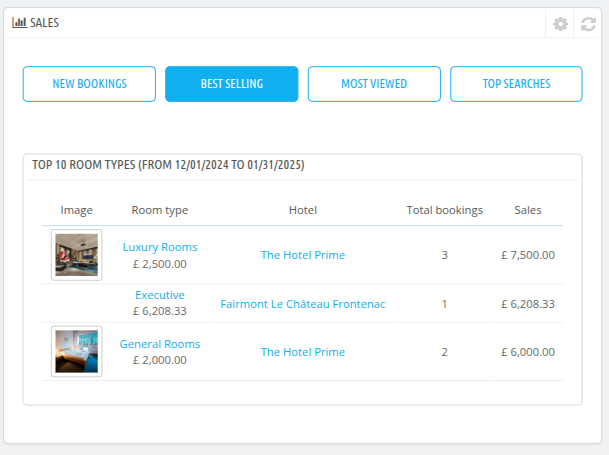
- Number of "Best Selling" to Display: Configure how many best-selling items to show.
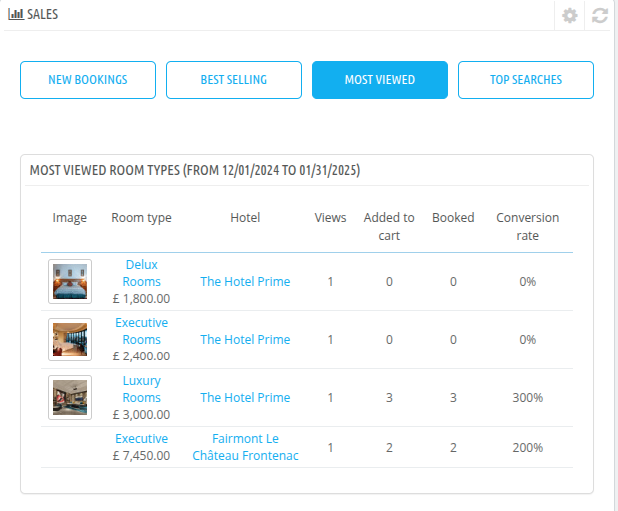
- Number of "Most Viewed" to Display: Adjust the number of most-viewed items displayed.
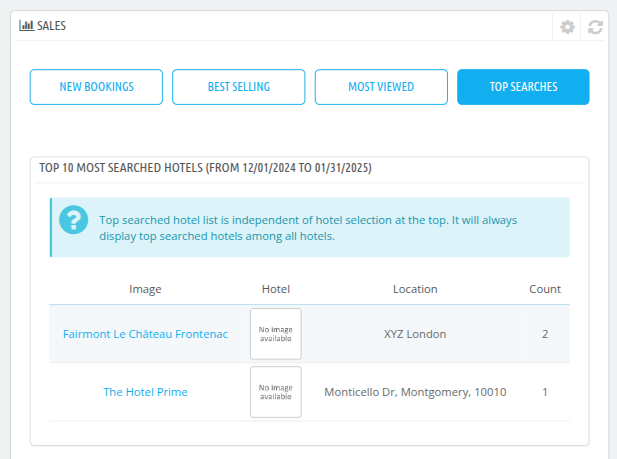
- Number of "Top Searches" to Display: Set how many top search terms are visible.
This section ensures you stay updated on sales performance and helps refine your strategies for better profitability and customer satisfaction.
← Performance Targets →