
# Booking Confirmation
The Booking Confirmation page is displayed after the booking has been successfully placed. It provides a summary of the reservation and payment details.
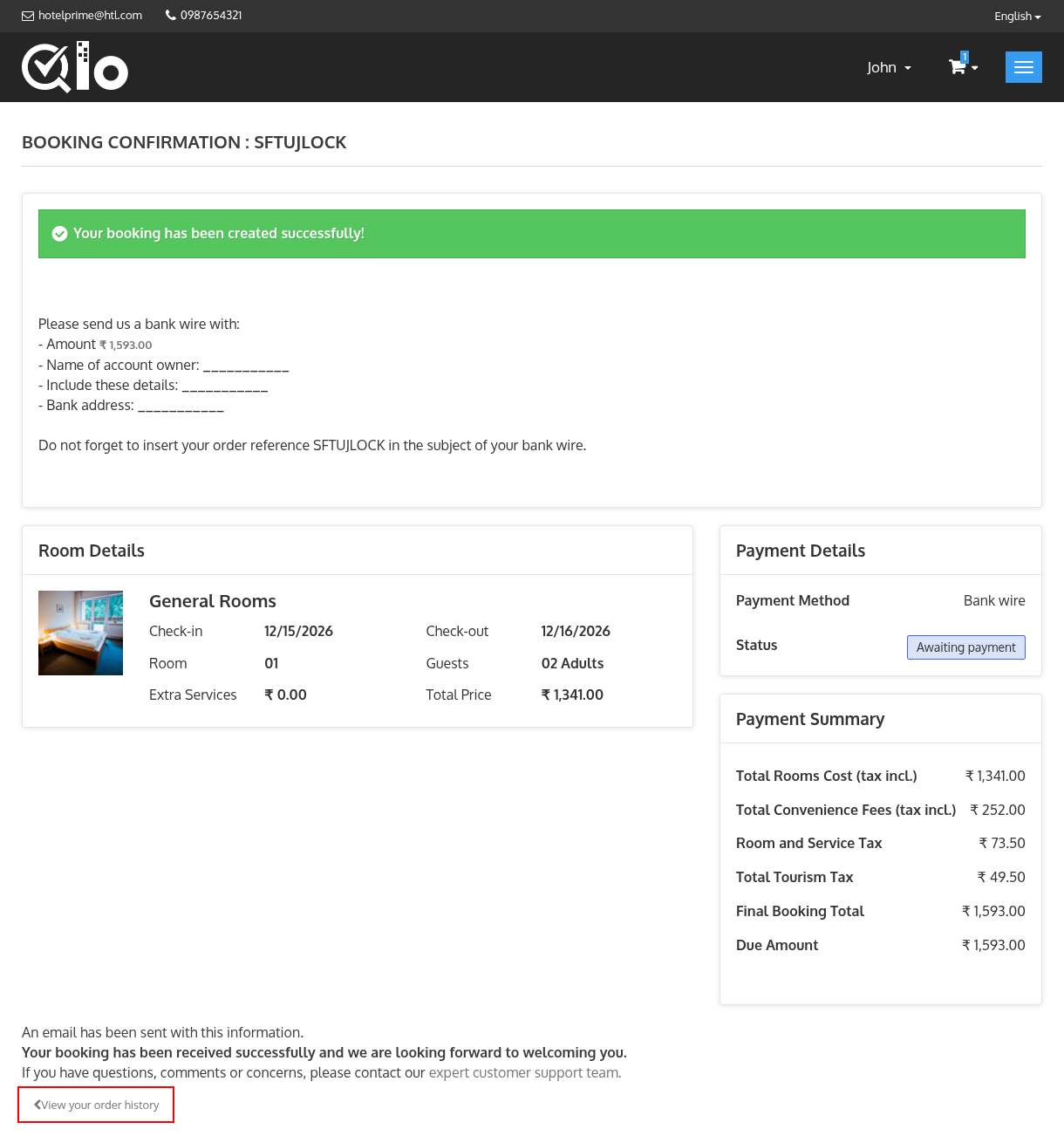
Room Details: Displays the check-in and check-out dates, the number of rooms, the guests, the extra services and the total price of each booked room. Click the amount shown in Extra Services to view the list of extra services added to the room.
Product Details: If the booking includes service products, this section displays them along with their quantity, unit price and total price.
Payment Details: Displays the Payment Method and the current booking Status.
Payment Summary: Provides a breakdown of the booking charges, including:
- Total Rooms Cost: The cost of the rooms and their extra services.
- Total products cost: The cost of the service products, if any are booked.
- Total Convenience Fees: Displayed only when convenience fees apply.
- Taxes: Displayed as Total Taxes. If the hotel has tourism tax enabled and chooses to show it separately, the taxes are displayed as Room and Service Tax and Total Tourism Tax.
- Total Vouchers: Displayed only when a discount has been applied.
- Final Booking Total: The total amount of the booking.
- Due Amount: Displayed only when the booking is not fully paid.
Note for Administrators: The tourism tax can be displayed separately from Localization → Taxes → Show tourism tax separately in price summary. For more information, refer to the QloApps documentation: Taxes
Click View your order history to view your reservation details and booking status.