
# Our Properties
The Our Properties page displays all hotels managed through the QloApps installation. It allows guests to browse available properties and view their basic details before proceeding to book a room.
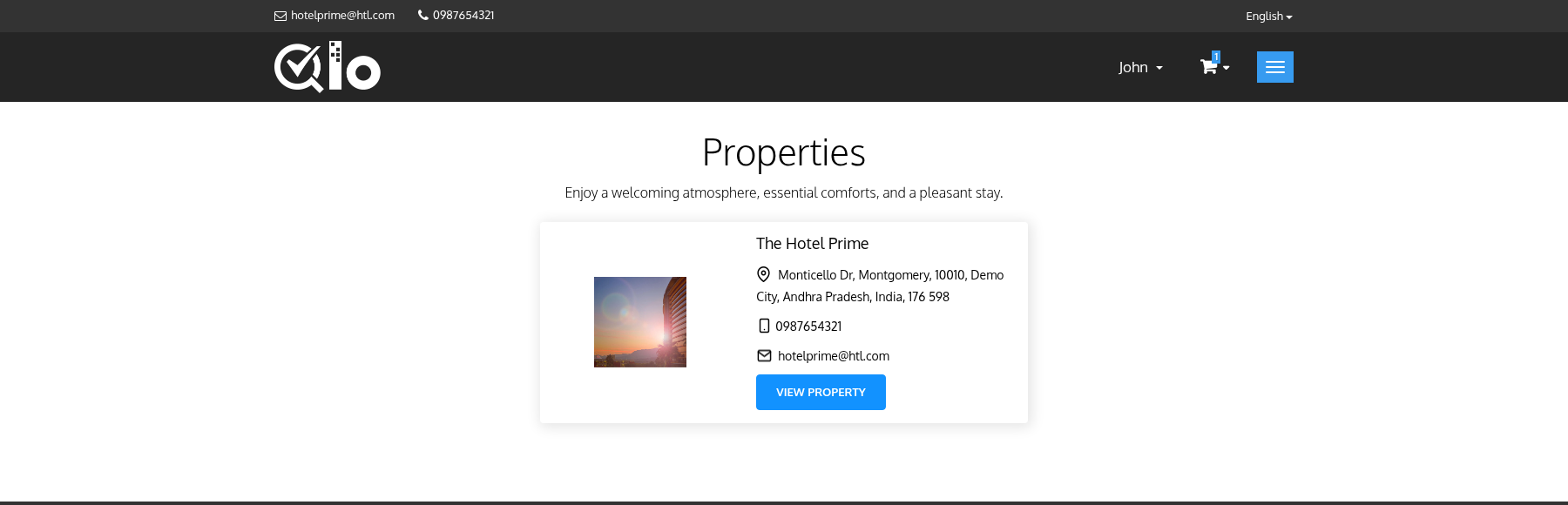
The page includes the following information for each property:
- Hotel Image: Displays the featured image of the hotel.
- Hotel Name: Name of the property.
- Hotel Address: Shows the complete address of the hotel.
- Phone Number: Contact number for the property.
- Email Address: Hotel email address.
- View Property: Redirects guests to the selected hotel's room listing page, where they can browse available room types and continue with the booking process.
- View on map: Opens the hotel location on the map. This button is displayed only if the location of the hotel is available.
Note for Administrators: To display a link to the Properties page in the website header, navigate to Hotel Reservation System → General Settings → Website Configuration and enable Display Properties link in Header. For more information, refer to the QloApps documentation: General Settings