
# Guest Registration Card
The Guest Registration Card (GRC) is a PDF that can be downloaded for each room of an order. On this page you can select which information is shown on it.
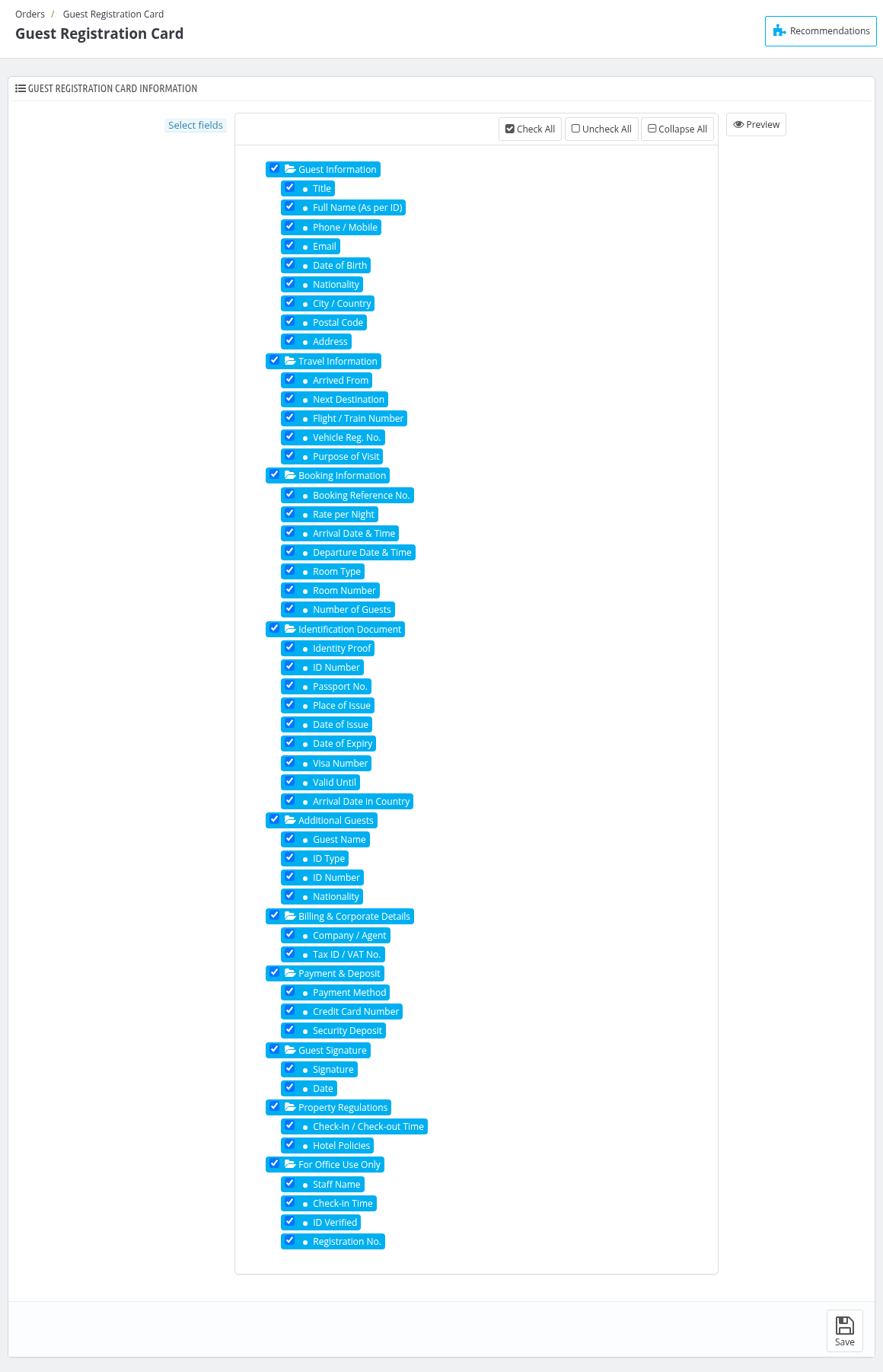
# Guest Registration Card Information
In Select fields, the information is divided into sections: Guest Information, Travel Information, Booking Information, Identification Document, Additional Guests, Billing & Corporate Details, Payment & Deposit, Guest Signature, Property Regulations and For Office Use Only. Each section contains its fields.
- Select the checkbox of a field to show it on the card, or select the checkbox of a section to select all of its fields.
- Use Check All, Uncheck All and Collapse All to select or collapse the whole list quickly.
- Click on Preview to see how the card looks like.
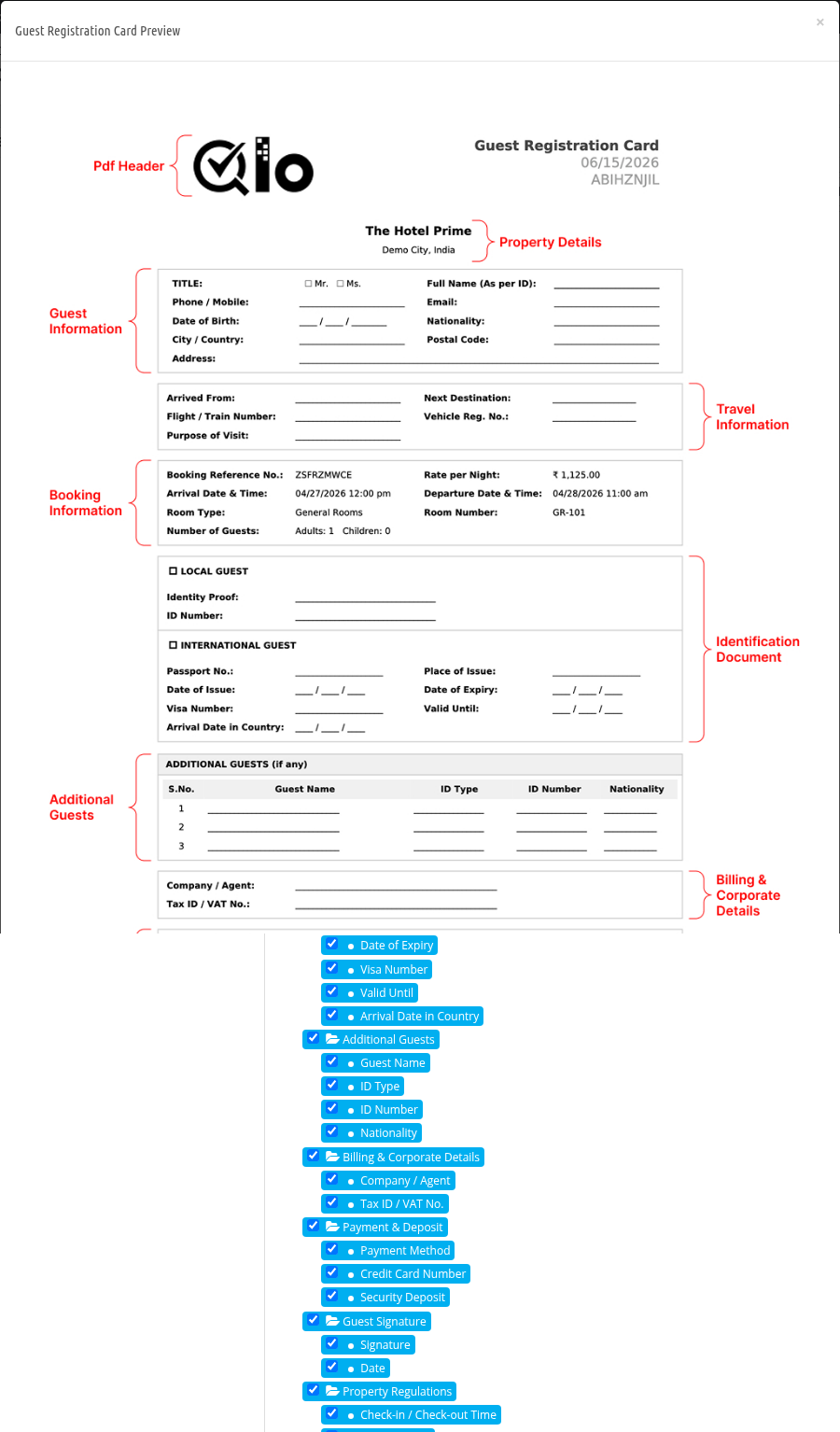
Click on Save to save the selection.
Note: At least one field must be selected.
# Download the card
To download the card of a room, open the order from Orders, click on the arrow next to the Edit button of the room and click on GRC.