
# Contact Us
The Contact Us page allows users to send inquiries, support requests, or feedback directly to the hotel.
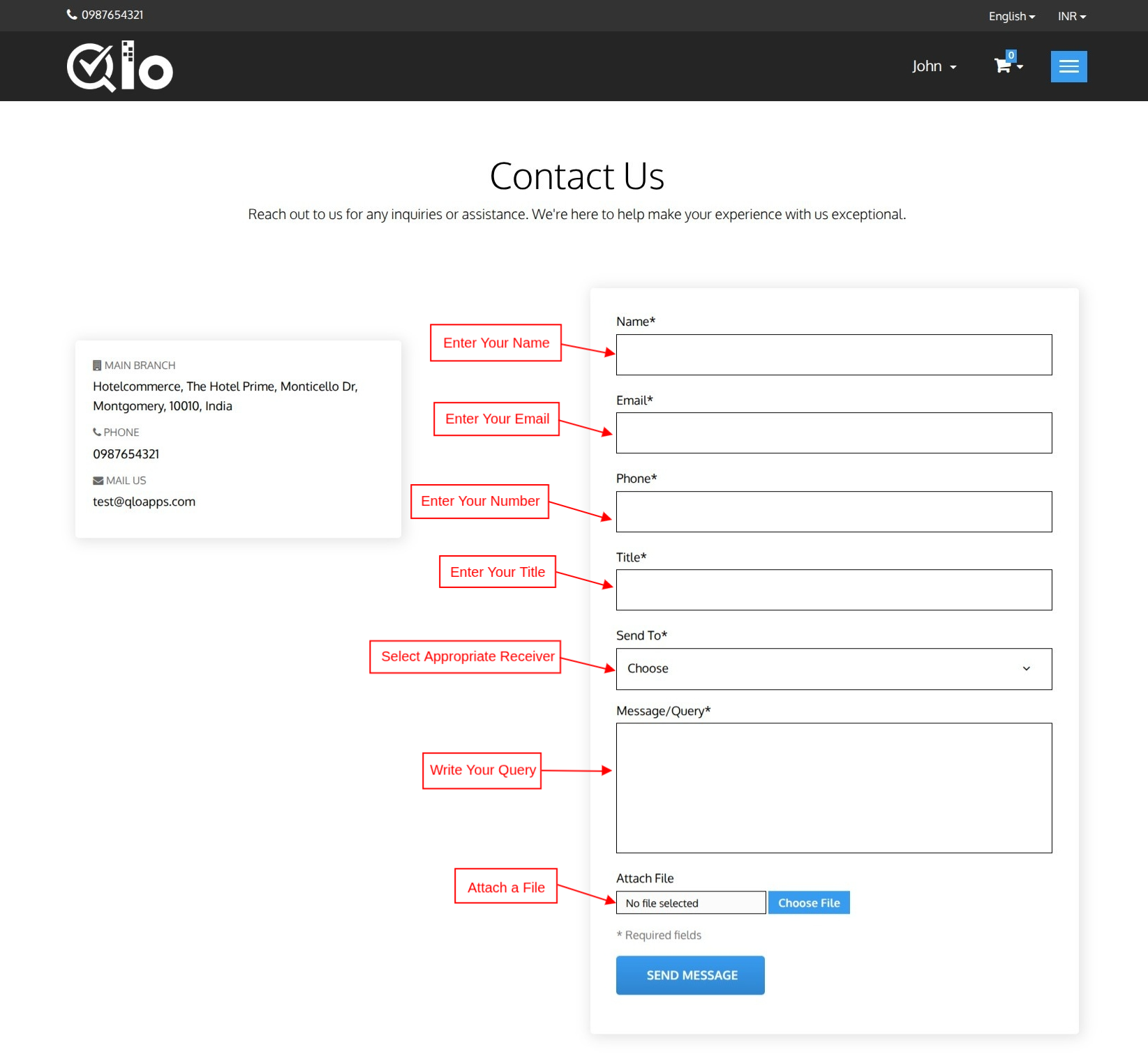
# Send a Message
To submit an inquiry, provide the following information:
- Name
- Email Address
- Phone Number
- Subject
- Recipient
- Message/Query
- Attachment (Optional)
After entering the required details, click Send Message to submit your request.
Note for Administrators: Messages submitted through the Contact Us page can be viewed and managed from the Back Office by navigating to Customers → Customer Service. For more information, refer to the QloApps documentation: Customer Service (opens new window)
Note for Administrators: To display the list of hotels on the Contact Us page, navigate to Hotel Reservation System → General Settings → Website Configuration and enable Display Contact Page Hotel List.