
# Our Properties
The Our Properties page displays all hotels managed through the QloApps installation. It allows guests to browse available properties and view their basic details before proceeding to book a room.
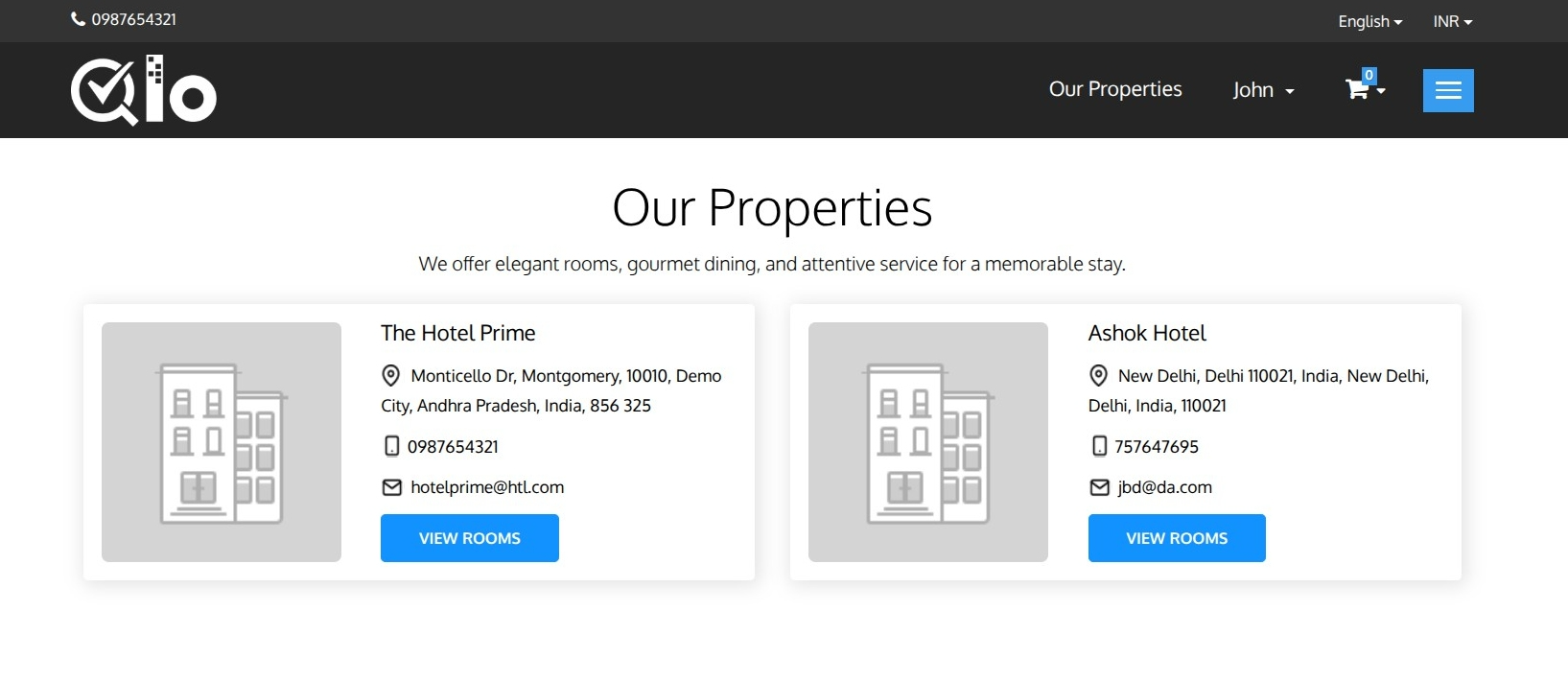
The page includes the following information for each property:
- Hotel Image: Displays the featured image of the hotel.
- Hotel Name: Name of the property.
- Hotel Address: Shows the complete address of the hotel.
- Phone Number: Contact number for the property.
- Email Address: Hotel email address.
- View Rooms: Redirects guests to the selected hotel's room listing page, where they can browse available room types and continue with the booking process.
Note for Administrators: The Our Properties page can be enabled from HRS → General Settings → Website Configuration → Display Our Properties link in Header. For more information, refer to the QloApps documentation: General Settings (opens new window)