
# Payment Information
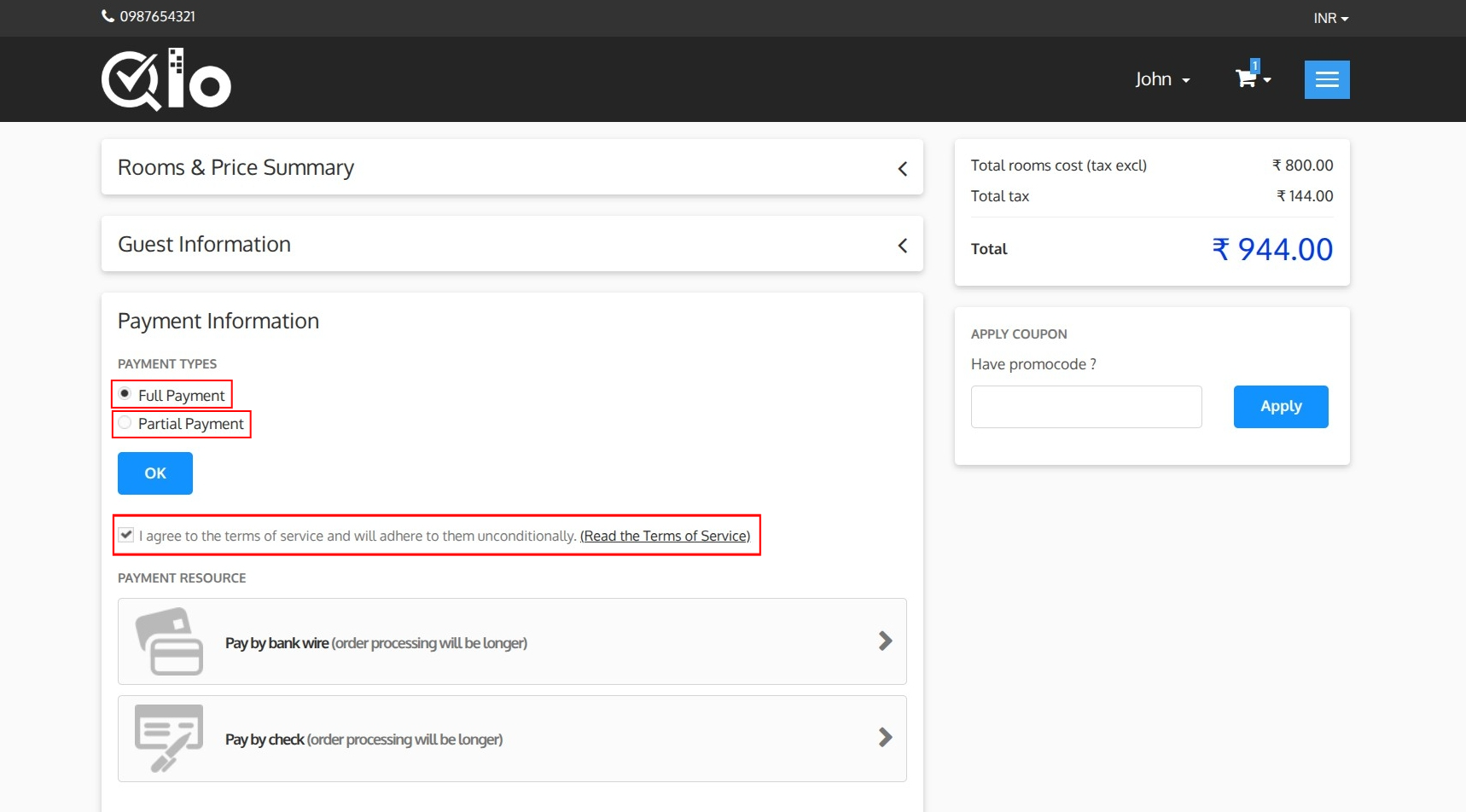
The Payment Information section allows guests to select their preferred payment option and complete the booking.
# Payment Type
Depending on the hotel's configuration, various payment options may be available, and guests can choose the one that best suits their convenience.
# 1. Full Payment:
Select Full Payment to pay the entire booking amount at the time of reservation.
# 2. Partial Payment:
Select Partial Payment to pay only the advance amount required to confirm the reservation. The remaining balance can be paid later according to the hotel's payment policy.
After selecting Partial Payment, the following details are displayed:
- Advance Payment Amount: The amount to be paid immediately to confirm the booking.
- Due Amount: The remaining balance to be paid later.
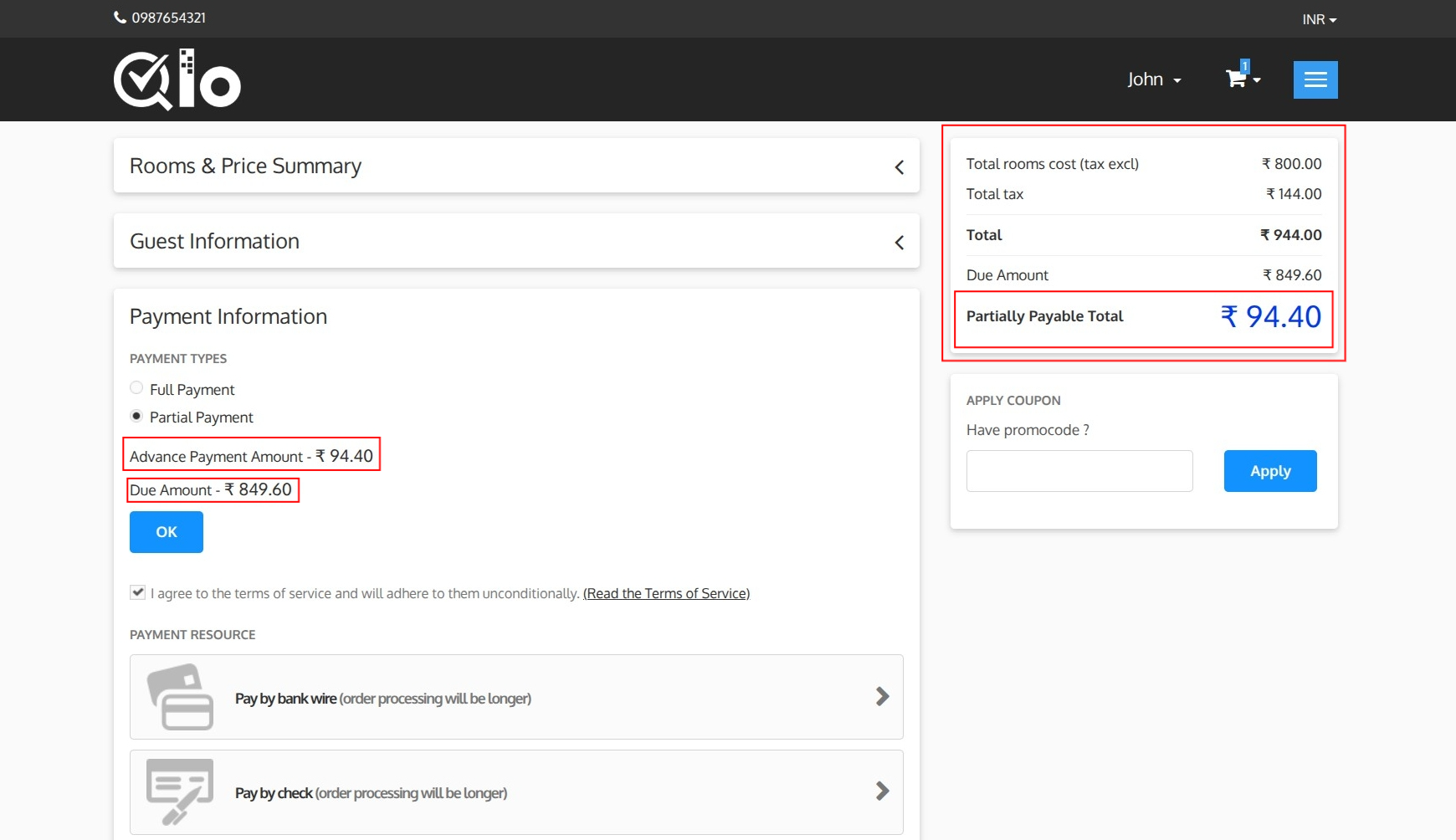
The Booking Summary section is also updated to display:
- Total Amount: The total booking cost, including applicable taxes.
- Due Amount: The outstanding balance after the advance payment.
- Partially Payable Total: The advance payment amount due at the time of booking.
Click OK to confirm the selected payment type and proceed with the payment.
Note for Administrators: Administrators can enable Advance Payment from Hotel Reservation System → General Settings → Advance Payment Global Settings. The minimum booking amount can be set as a percentage of the booking amount. For more information, refer to the QloApps documentation: General Settings (opens new window).
Guests must agree to the hotel's terms and conditions before proceeding with the payment. To review the terms, click Read the Terms of Service.
# Payment Methods
The available payment methods are displayed in the Payment Resource section.
Available payment methods depend on the hotel's configuration and may include:
- Bank Wire
- Check
- Online Payment Gateways
- Pay at hotel
Select the preferred payment method to proceed with the payment.
# Bank Wire Payment
In this guide, the payment process is demonstrated using the Bank Wire payment method. Depending on the payment methods configured by the hotel, guests may choose any available payment option during checkout.
After selecting Bank Wire as the payment method, the Order Summary page is displayed.
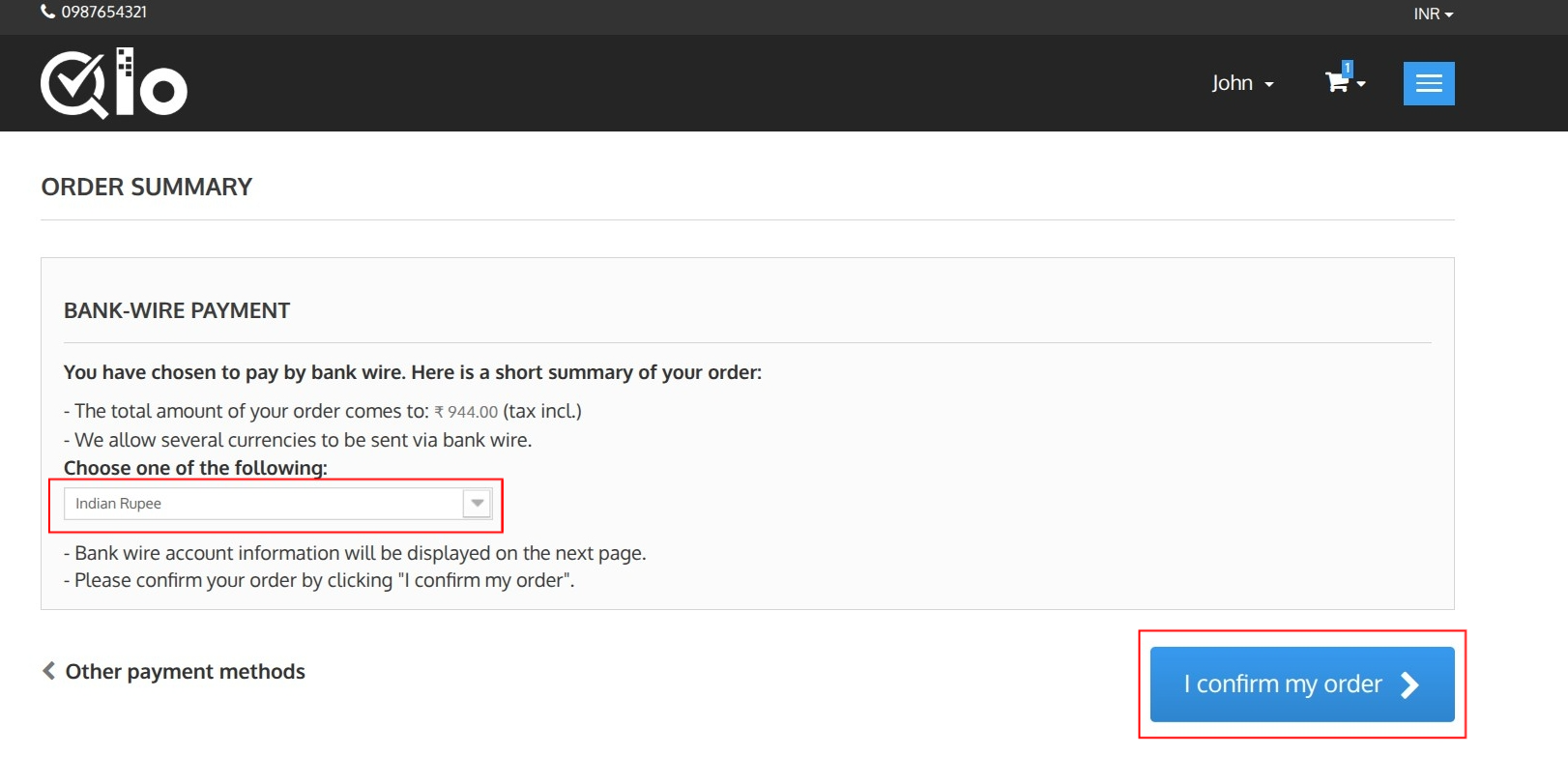
Currency Selection: If multiple currencies are supported, select the preferred currency from the dropdown list.
Order Summary: The Order Summary section displays the booking details, selected payment method, and the total amount payable for the reservation.
# Confirm Order
After reviewing the booking details, click I confirm my order to place the booking.
# Other Payment Methods
Click Other payment methods to return to the Payment Information page and select a different payment method.